What Is a Good Typing Speed? WPM and Accuracy Explained
A good typing speed is one that meets your task’s requirements while keeping errors manageable. There is no universal WPM cutoff for being a good typist: test duration, text difficulty, scoring rules, and whether you are copying or composing all change the meaning of the result.
For a useful starting point, take a one-minute typing test and record both WPM and accuracy. Compare later attempts using the same settings.
What research tells us about average typing speed
A 2018 study by researchers at Aalto University and the University of Cambridge collected 136 million keystrokes from 168,000 volunteers. The reported average was 52 words per minute. Faster typists tended to make fewer errors and overlap successive keypresses. Read the University of Cambridge’s account of the study.
That is a benchmark from a particular volunteer study, not a minimum standard for every adult or occupation. It also does not establish that deliberately forcing overlapping keypresses will improve your typing. Use it for context rather than as a pass-or-fail judgment. If you want to see where your own number falls relative to that study’s full distribution, read our typing speed percentile breakdown.
How KeysInFlow measures WPM
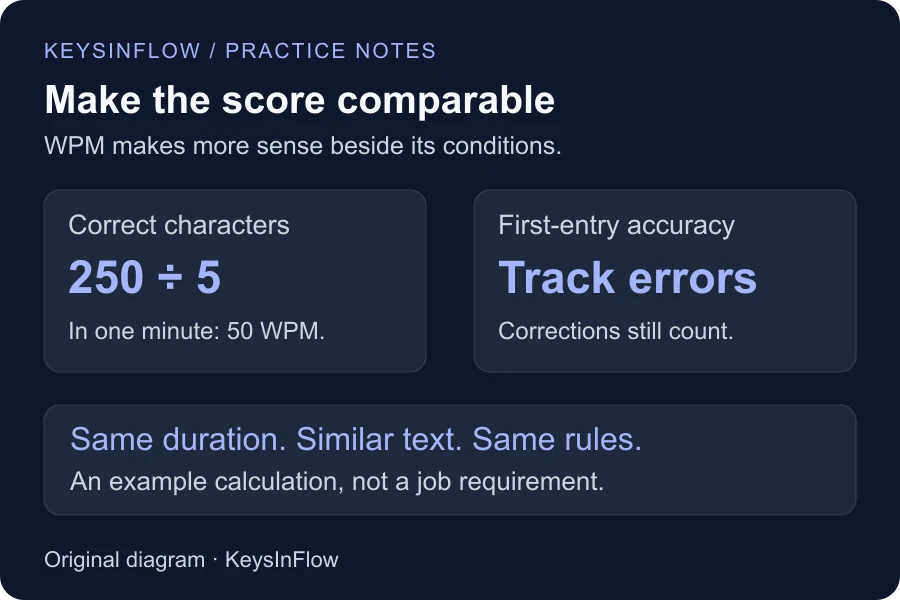
In KeysInFlow’s shared typing engine, WPM is the number of correct characters in the current typed passage, divided by five, divided by elapsed minutes. Five characters count as one standardized word unit; the tool does not count dictionary words.
For example, 250 correct characters in one minute produces 50 WPM. A passage containing long words, punctuation, or code still uses the same character-based formula. Read the WPM calculation guide for a worked accuracy example and how corrections affect the result.
Why accuracy belongs beside the score
Imagine two attempts on the same passage. One is faster but contains repeated errors; the other is slower and clean. Which is more useful depends on the task and how much correction it requires. A single speed number hides that tradeoff.
KeysInFlow counts incorrect character entries toward accuracy even after you use Backspace to correct them. That helps distinguish an initially clean attempt from one repaired through many corrections. Other tests can use different error penalties, so scores from different sites may not be directly comparable.
What about job requirements?
Use the employer’s published requirement, including its duration and accuracy threshold. Do not assume that an informal 40, 60, or 80 WPM category applies to every role. Numeric entry may use KPH, and a written copying exercise does not test audio transcription or navigation between form fields.
Use 10-key practice for numeric input or profession-specific lessons for specialized text. Our job typing-test preparation guide explains how to match practice to an assessment.
Choose your next goal from your own results
Repeat comparable tests and look for a steadier pace, fewer errors, and less time spent correcting. If accuracy falls sharply when you accelerate, practice the difficult movement before raising the target again. The weak-key analyzer and letter-pair trainer can help you choose a focused exercise.
A personal best is encouraging, but a result you can repeat comfortably is a better guide for planning the next session.