Typing Practice for Jobs: A Practical Preparation Plan
To prepare for a job typing test, first find out what the employer measures. Then practice the same kind of input, track accuracy alongside speed, and repeat comparable tests. There is no single WPM requirement that applies to every office, data-entry, or transcription job.
KeysInFlow provides practice exercises and local results. It does not issue employer-verified certificates or reproduce every assessment format.
Check the test instructions before choosing a target
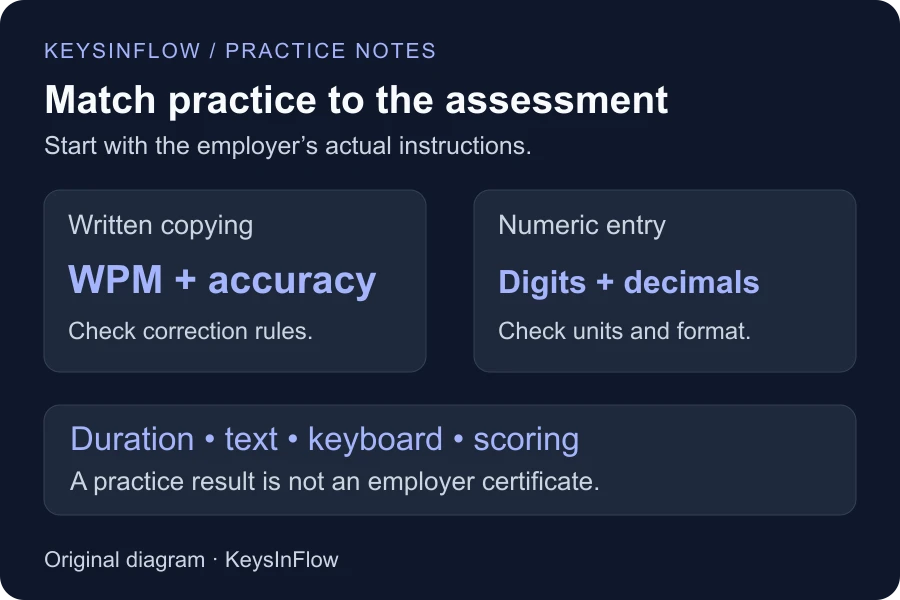
Look for the test duration, required accuracy, minimum score, and correction rules. Check whether the material is ordinary prose, numeric entries, or mixed records. Also check whether you will copy visible text, listen to audio, or enter information into separate fields. These tasks require different preparation.
If the instructions are unclear, ask the recruiter which test format they use. A one-minute word test is useful for a quick baseline, but it cannot establish how you will perform on a longer assessment or in unfamiliar software.
Establish a repeatable baseline
Take the one-minute typing test with a difficulty you can read comfortably. Record the duration, text type, WPM, and accuracy. Repeat under similar conditions on another attempt rather than choosing only your highest result.
Use the keyboard you expect to use for the assessment when possible. Avoid pasting text into the typing area: that measures text insertion, not typing speed. If you change the duration, keyboard, or text difficulty, label the result separately instead of treating it as a directly comparable score.
Match the practice to the role
- Data entry: Use mixed-record and address exercises for letters and digits, then 10-key practice for numeric input. These do not simulate spreadsheet navigation.
- Accounting and finance: Practice amounts and financial vocabulary. Read decimal points and separators carefully, even when the surrounding words are easy.
- Medical work: Practice medical terminology and abbreviations. The written passages are not audio transcription exercises or clinical training.
- Legal work: Use legal vocabulary and contract-style passages to practice longer terms and punctuation. This is not a court-reporting test.
- Office administration: Practice business correspondence and meeting-note text for everyday sentences and formatting.
- Programming: Use code typing practice for symbols and indentation. Transcribing code does not measure problem-solving or programming ability.
- Study and academic work: Use academic typing lessons for longer prose and citation-style punctuation.
Try a focused ten-minute session
This is a suggested routine, not a promise of improvement within a fixed time. Spend two minutes warming up on comfortable text, four minutes on a recurring difficulty, two minutes on role-specific material, and the final two minutes reviewing a comparable test result.
If you do not know what to practice, run the weak-key analyzer. Work on one repeated mistake before adding more speed. If finding letters still takes most of your attention, begin with touch typing lessons instead of repeatedly timing yourself.
Review accuracy before raising your target
A faster score with more corrections may not be useful progress for the test you face. Compare several similar attempts and note whether the same mistakes recur. Read the WPM and accuracy calculation so you understand how KeysInFlow scores practice; the employer may use another formula.
Before test day, follow the employer’s actual equipment and assessment instructions. Treat your practice history as preparation, not evidence that you have already met an official requirement.