Does Backspace Slow Your Typing? Try This 7-Day Drill
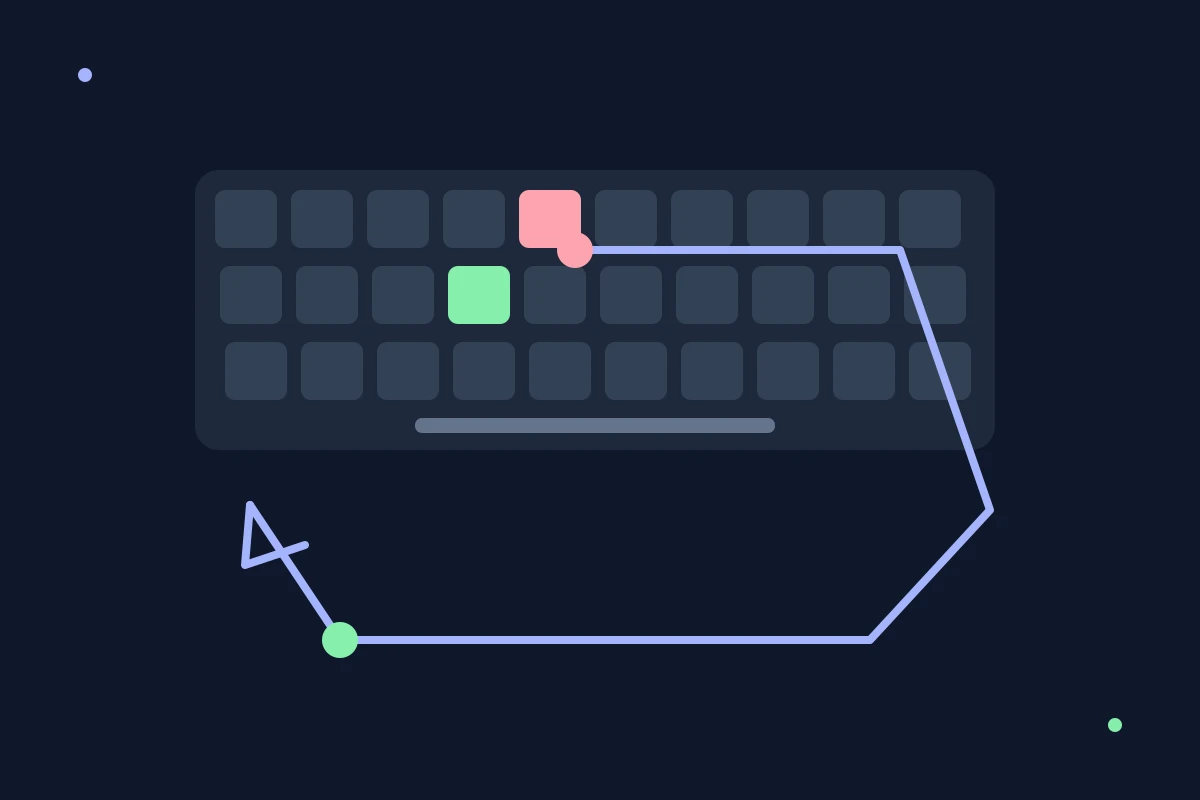
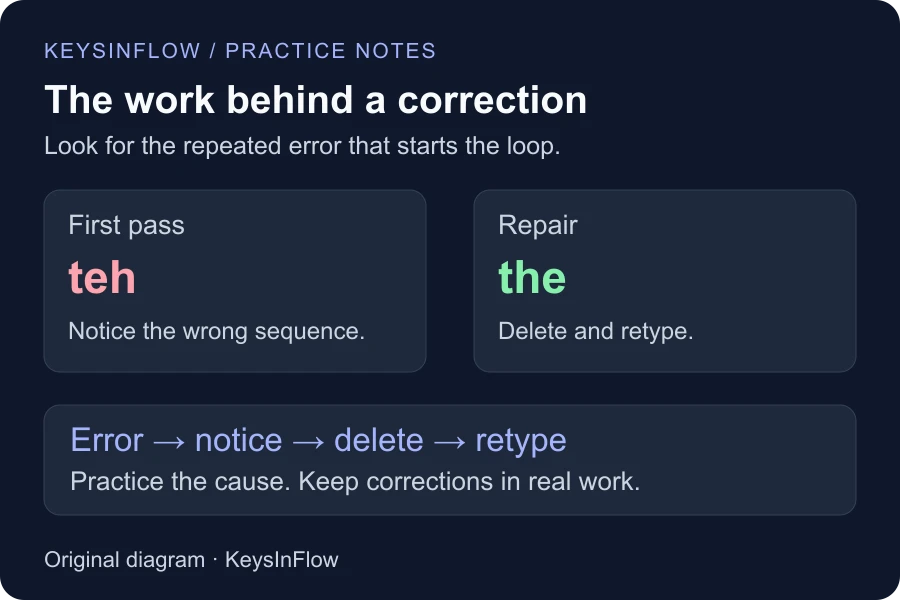
Backspace can slow your typing, but the key itself is not the real problem. The error came first. Then you had to notice it, reach for Backspace, remove one or more characters, and rebuild the word. If this happens every few seconds, your WPM suffers because your typing rhythm keeps stopping.
That does not mean you should leave mistakes in emails, reports, or job tests. A no-Backspace typing drill is useful precisely because it is a drill. It makes errors impossible to hide and shows which movements are creating all that correction work.
If you are stuck below 60 WPM and keep asking, “Why do I backspace so much?”, spend a week measuring the cause instead of fighting the key. Here is a practical way to do it without pretending that one keyboard rule will transform your speed overnight.
Does Backspace actually reduce typing speed?
Yes, frequent correction uses time and adds keystrokes. Research also suggests that the interruption is brief rather than mysterious.
In a laboratory study of skilled typists, participants corrected 93% of their errors, about half of them immediately. The first Backspace press after an error took an average of 416 milliseconds, compared with 154 milliseconds for a correct pre-error keystroke. The first resumed keystroke was slower too, but the following keystroke had returned to the typist’s usual pace. The study involved only 18 typists in that experiment, so those timings are evidence of the mechanism, not a universal Backspace tax. You can read the original paper, “Prevention and Correction in Post-Error Performance”.
A much larger online study recorded 136 million keystrokes from 168,960 volunteers. Backspace and Delete presses made up 6.3% of keypresses on average, and people who made and corrected fewer errors were generally faster. The researchers found a correlation, not proof that refusing to press Backspace makes somebody faster. The more sensible reading is that clean typing avoids correction work. See “Observations on Typing from 136 Million Keystrokes” for the methods and full results.
So, does Backspace lower WPM? Usually, yes, because correction takes time. But removing the key does not remove the mistake that made you reach for it.
Why you may be backspacing so much
The urge to correct can feel almost involuntary. That is not your imagination. Research on typing errors has found that brain activity following an error can predict whether a typist will correct it and slow down afterward. Error detection is woven into the skill, not always a conscious proofreading decision. The study abstract and citation are available through PubMed.
Frequent Backspace use usually points to one of a few concrete problems:
- Your fingers are producing the wrong movement. The same letter pair, reach, or hand transition keeps failing.
- Your eyes are too close to your fingers. You read one character, type it, check it, and repair it instead of reading slightly ahead.
- You notice errors late. By the time the mistake registers, two or three more characters are already on screen, so the repair is larger.
- You are typing beyond your controlled pace. A fast first burst feels impressive, but repeated corrections make the whole passage slower.
- You treat every practice error as a ruined attempt. Restarting or aggressively repairing a drill can protect the score while hiding the pattern you need to train.
One clue matters more than the total number of corrections: repetition. If th, ing, a capital letter, or a punctuation reach causes the same breakdown across several attempts, you have found a training target.
What a no-Backspace drill can and cannot do
A no-Backspace drill removes your escape hatch. Every wrong character stays visible, which makes rushing uncomfortable and recurring mistakes obvious. It gives you a way to notice whether you hesitate, rush, or repeatedly miss the same transition.
It is not automatically faster. In another part of the correction study above, typists slowed after errors when Backspace was disabled. The researchers argued that the typists were inhibiting their normal correction response. That is exactly why the exercise can feel awkward at first: you are interrupting a habit, not unlocking free WPM.
Do not stop using Backspace in real work. Corrections are part of writing, and an accurate final document matters more than an artificial streak. Keep the restriction inside a short practice block, then return to normal typing and see whether the cleaner movement carries over.
The catchy version of this challenge is, “I stopped using Backspace for a week.” I would not take that literally. A full ban during ordinary work mostly trains you to leave errors behind. A short daily constraint, followed by normal typing, gives you something worth measuring.
The seven-day no-Backspace experiment
This is a suggested personal experiment, not a validated training schedule. Allow about 10 to 15 minutes on a practice day, adjusting or stopping when concentration fades. Compare normal correction-allowed attempts at the beginning and end. For the longer practice blocks, use a plain-text editor with your own timer or enough text in Custom Practice. KeysInFlow’s main timed test offers at most 60 seconds, and these instructions do not disable its Backspace key.
Before day 1: record a fair baseline
Take five one-minute typing tests with the same difficulty and settings. Use Backspace normally. Record the median WPM and median accuracy after sorting each set of five results, rather than selecting your personal best.
Also note what caused each correction. You do not need a perfect log. A short entry such as teh -> the, missed capital, double letter, or punctuation is enough.
Days 1 and 2: notice the impulse
Type for five minutes without Backspace. Do not restart after an error, and do not speed up to compensate for a lower score. Your only job is to finish the passage while noticing when your right little finger wants to leave the home row.
Follow the drill with one normal typing test. If the same errors remain, mark them. If your clean pace improves, resist the urge to raise your speed immediately.
Days 3 and 4: train the movement behind the error
Run the weak-key analyzer and look for repeated letters or transitions. Choose the most common problem, then practice it in real words. If a letter pair is responsible, use the bigram trainer for a short focused set.
Finish with another five-minute no-Backspace passage. The restriction now has a purpose: check whether the movement you isolated holds up inside ordinary text.
Days 5 and 6: alternate constraint and normal typing
Do one short no-Backspace round, followed by a normal round in which corrections are allowed. Keep the duration and difficulty consistent.
Compare the feel of the two rounds. Are you pausing before the troublesome movement instead of repairing it afterward? Are your eyes staying on the next word? Those changes can appear before a higher WPM score does.
Day 7: retest under normal rules
Repeat the five-test baseline with Backspace available. Again, use the middle result. Compare four things:
- WPM under the same test conditions
- first-entry accuracy, not merely a clean final passage
- which errors repeated
- whether correction clusters became less frequent
KeysInFlow counts an incorrect character entry against accuracy even if you later erase it, so Backspace cannot make the original mistake disappear from the result. The WPM and accuracy guide explains the scoring in detail.
How to read your result honestly
One week may give you examples to inspect; it cannot establish a permanent speed change or a reliable cause.
If WPM rises and first-entry accuracy holds steady or improves, note that result and repeat the comparison. Familiarity or other changes can also affect the score. Keep practicing the specific movements that changed.
If WPM falls but accuracy improves, the drill may have exposed a pace you could not yet control. That is useful information. Build consistency there before pushing faster.
If neither score changes, the result does not tell you whether Backspace was the main limit. Reading ahead, unfamiliar punctuation, inconsistent fingering, or simple hesitation may be costing more time. Use an endurance typing test if the problem appears only after the first minute.
If WPM rises while accuracy drops, do not call that a win. You may have learned to ignore mistakes rather than prevent them. The goal is less repair because you make fewer errors, not because you stopped caring about them.
Should you correct mistakes during a typing test?
Follow the test’s rules. Some tests measure the final text, some count every original error, and some penalize uncorrected mistakes more heavily. A no-Backspace practice score should never be compared directly with a correction-allowed score as though the conditions were identical.
For a job assessment, check the published correction policy before test day. For daily practice, use both modes for different jobs: no Backspace to diagnose your movement, normal correction to measure realistic performance.
Keyboard shortcuts can make real editing faster. On Windows, Ctrl+Backspace commonly deletes the previous word; on macOS, Option+Delete does the same in many apps. They are useful when a whole word needs replacing, but they do not solve the repeated keystroke error underneath it. See our guide to editing shortcuts for more of them.
Frequently asked questions
Does pressing Backspace affect WPM?
It usually does because detecting, deleting, and retyping an error takes time. The exact effect depends on the scoring method and how much text you remove. There is no credible fixed number of seconds that every Backspace press costs every typist.
Should I stop using Backspace while typing?
Not in normal writing. Use a no-Backspace typing drill for a short, defined practice period. Correct errors in work that other people will read and in any test where final accuracy matters.
Why do I press Backspace even before I see the error?
Skilled typing includes rapid error detection, and some of that response can happen before a deliberate decision. The habit is not proof that you are careless. Repeated corrections are a signal to identify the movement that keeps failing.
Can a no-Backspace drill improve typing speed?
It can help you expose recurring errors and practice a steadier rhythm. It cannot guarantee a WPM increase. Measure the effect with comparable correction-allowed tests before and after the practice week.
What should I practice after the seven days?
Keep the smallest useful target. If one bigram caused most corrections, train that pair in words and sentences. If mistakes spread across a longer session, work on endurance. If the errors were rare, consider whether another task deserves the next practice session instead.
Backspace is a receipt for an earlier mistake. Spend less time blaming the receipt and more time fixing the movement that produced it.