Typing by Looking vs. Typing Without Looking: What Changes?
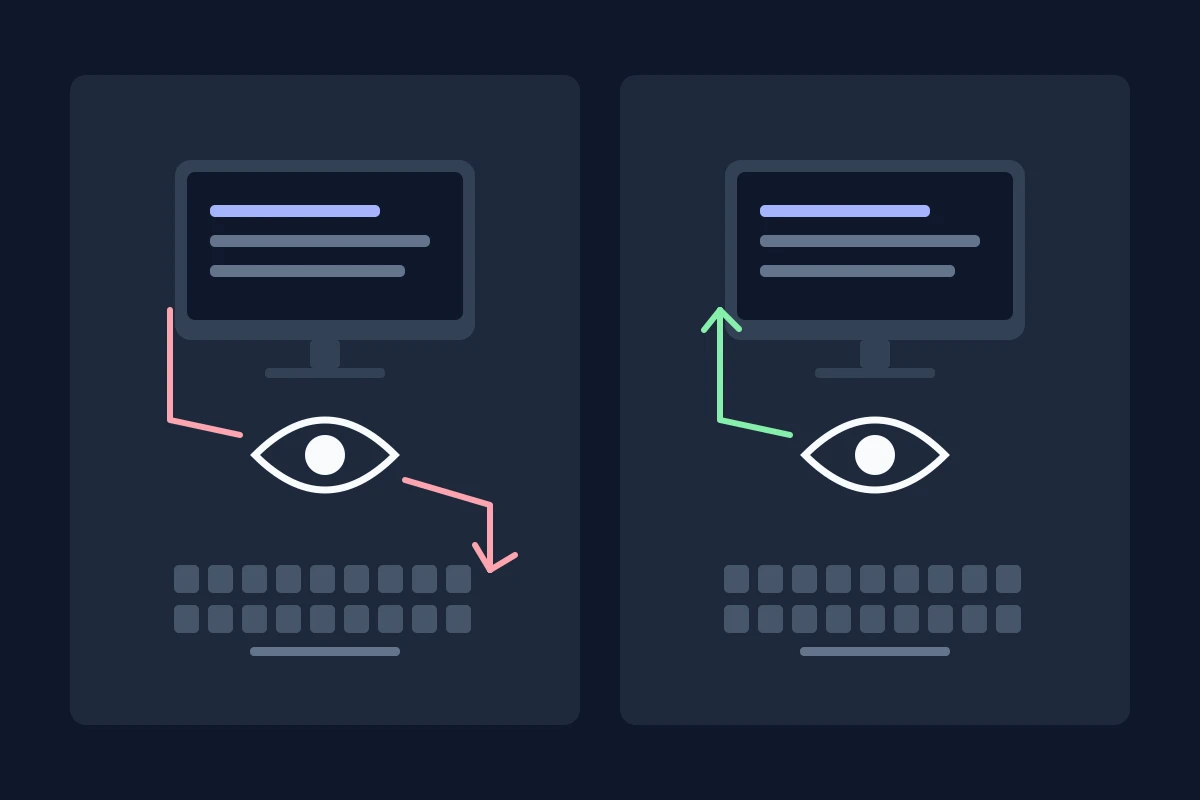
You read the next few words on the screen, look down to type them, then look up to see what came out. If the sentence is longer, you may need to find your place again. That small round trip can happen so often that you stop noticing it.
Typing without looking at the keyboard changes that routine. Your eyes can stay with the source text or the sentence you’re writing while your fingers find the keys. The practical benefit is being able to watch the work as you enter it. A higher WPM score may follow, but it isn’t guaranteed simply because you stop looking down.
Here, “looking” means looking at the keyboard. Typing without looking at the keys still involves looking at the screen, a document, or whatever you need for the task. It doesn’t mean typing with your eyes closed.
What the two approaches actually involve
When you type by looking, sight helps you locate or confirm a key. You might search for nearly every letter, or glance down only for an awkward word or symbol. Those are different levels of dependence on the keyboard.
Touch typing means finding the keys by learned movements and touch rather than visually searching for each one. Conventional lessons teach consistent finger assignments and a home-row starting position. Self-taught typists can also develop reliable movements without following every conventional assignment.
That leaves plenty of people in between: typing common words while looking at the screen, then checking the keys for numbers, punctuation, or an unfamiliar reach. An occasional glance doesn’t erase the skill you already have.
| What you’re doing | Looking at the keyboard | Typing without searching for keys |
|---|---|---|
| Finding a letter | Sight confirms its position | A familiar movement finds it |
| Copying a passage | You may switch between the passage and keys | Your eyes can stay with the passage |
| Checking what appeared | You check when you look back up | You can monitor the screen as you type |
| Entering an unfamiliar symbol | Looking can help you locate it | You may still need to check its position |
| Changing your technique | Your usual approach may already be efficient | New movements can feel slower at first |
These are practical differences, not a promise that one method produces a particular score.
Is typing without looking always faster?
No. The evidence is more interesting than that.
A 2016 Vanderbilt study compared 48 participants classified as standard or nonstandard typists. Standard typists averaged 80 WPM; nonstandard typists averaged 72 WPM. When the keyboard was obscured, the nonstandard group’s speed and accuracy dropped, while the standard group’s performance stayed about the same. Vanderbilt’s report explains the experiment; the paper’s abstract describes its methods.
Nonstandard does not mean beginner or two-finger typist. Those participants already had working habits. The findings show that a technique can be fast while still depending on visual access to the keys. They don’t mean that learning touch typing will add exactly eight WPM to your score.
A separate Aalto study of 30 participants, using movement tracking and eye-tracking glasses, found no significant difference in sentence-typing speed between its touch and non-touch groups. Non-touch typists nevertheless spent more time looking at the keyboard. Both were small studies, with different participants and conditions; neither establishes a universal speed ranking.
The useful comparison is what happens to your own work when you need to keep your eyes elsewhere.
The difference becomes clearer in a real sentence
Suppose you’re copying this line:
Please send the revised file before Friday.
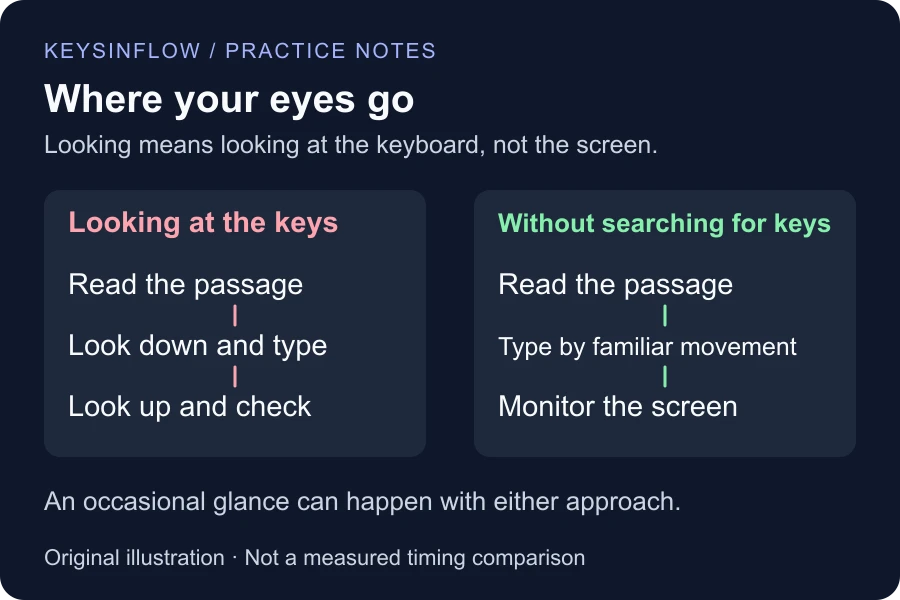
You read “Please send the revised,” look down, and type. When you look up, you have to check what appeared and find where to continue. If the word “revised” went wrong, you also need to locate and repair it.
With familiar key movements, you can watch the sentence while entering it. You have the opportunity to notice a missing letter without first returning your eyes from the keyboard. That doesn’t guarantee you’ll catch every error: looking at the screen and actually reading what you typed are different things.
There’s a similar advantage when you’re copying names or amounts from another source. Keeping that source visible can make the workflow easier to follow, even if your measured typing speed barely changes. This is a practical reason to learn the movements, rather than treating an impressive WPM as the only goal.
Will keeping your eyes up stop the typos?
It gives you a better view of the output. It doesn’t make every movement accurate.
You might type “teh” while watching the screen. You might know the spelling of “abandon” and still produce “abnsdno.” Seeing the mistake helps you inspect it, but you still need to practice the letter sequence that went wrong.
Our guide to fast typing and wrong keys explains how to work on those patterns. If the trouble is deciding how a word is spelled, confirm the spelling first. If it is choosing the wrong word in a sentence, reread for meaning. A change in gaze cannot solve every kind of writing error.
Compare your two approaches without fooling yourself
Use a short comparison to observe your habits. This is a personal exercise, not a diagnostic test or a controlled research study.
- Take a one-minute typing test using your ordinary approach. Record WPM, accuracy, and which keys made you look down.
- Try a fresh passage at the same difficulty and duration, keeping your eyes on the screen as much as comfortably possible. If you cannot find a key, check it deliberately rather than guessing.
- Note what changed: more hesitation, fewer searches, different mistakes, or easier reading of the passage. Keep correction rules the same.
- Repeat on another session, reversing the order. A warm-up, a familiar passage, or a tired second attempt can otherwise influence the comparison.
If the screen-focused attempt is slower, it shows that the less familiar approach needs attention. It doesn’t establish that you can never improve, or that you should force the change during urgent work. If the scores are similar but following the sentence feels easier, that is useful information too.
KeysInFlow records typing results, not eye movements. Its score cannot tell you how often you looked down. Keep your own brief note, and use the scoring explanation when interpreting accuracy and corrections.
When is changing your technique worth the effort?
It is worth exploring when you regularly lose your place while copying, need to keep a source document in view, or spend much of a session searching for letters. Those are concrete problems a more reliable set of movements could address.
If your current approach is comfortable and meets your needs, you can start with the few reaches that cause trouble. You don’t need to replace every habit because your fingering differs from a diagram.
For a beginner, finger lessons provide a structured starting point. If ordinary letters already feel familiar, try intermediate lessons for capitals, numbers, and punctuation. Keep practice separate from time-sensitive work while the new movements are less fluent.
Our guide to reducing keyboard glances covers the transition itself. For choosing a wider learning progression, use the touch-typing practice plan.
Frequently asked questions
Is looking at the keyboard a bad habit?
It depends on whether the looking interrupts your task. A quick check for an unfamiliar symbol is different from repeatedly losing your place while searching for letters.
Does touch typing mean using all ten fingers?
Conventional instruction assigns letters to eight fingers and commonly uses thumbs for Space. Finding keys without visual searching and following that exact fingering system are related, but distinct.
Should I close my eyes to practice?
Keep them on the screen instead. That lets you review the text while learning to find the keys without watching your hands.
How long does typing without looking take to learn?
There is no reliable deadline for everyone. Track accurate unfamiliar sentences and fewer key searches instead of expecting a fixed WPM after a fixed number of days.
Choose a sentence you actually need to type, and notice what makes you look down. That gives your next practice session a purpose: making one useful part of the task easier to do while your eyes stay with the work.