Ergonomic Keyboards: Benefits, Types, and When They Help
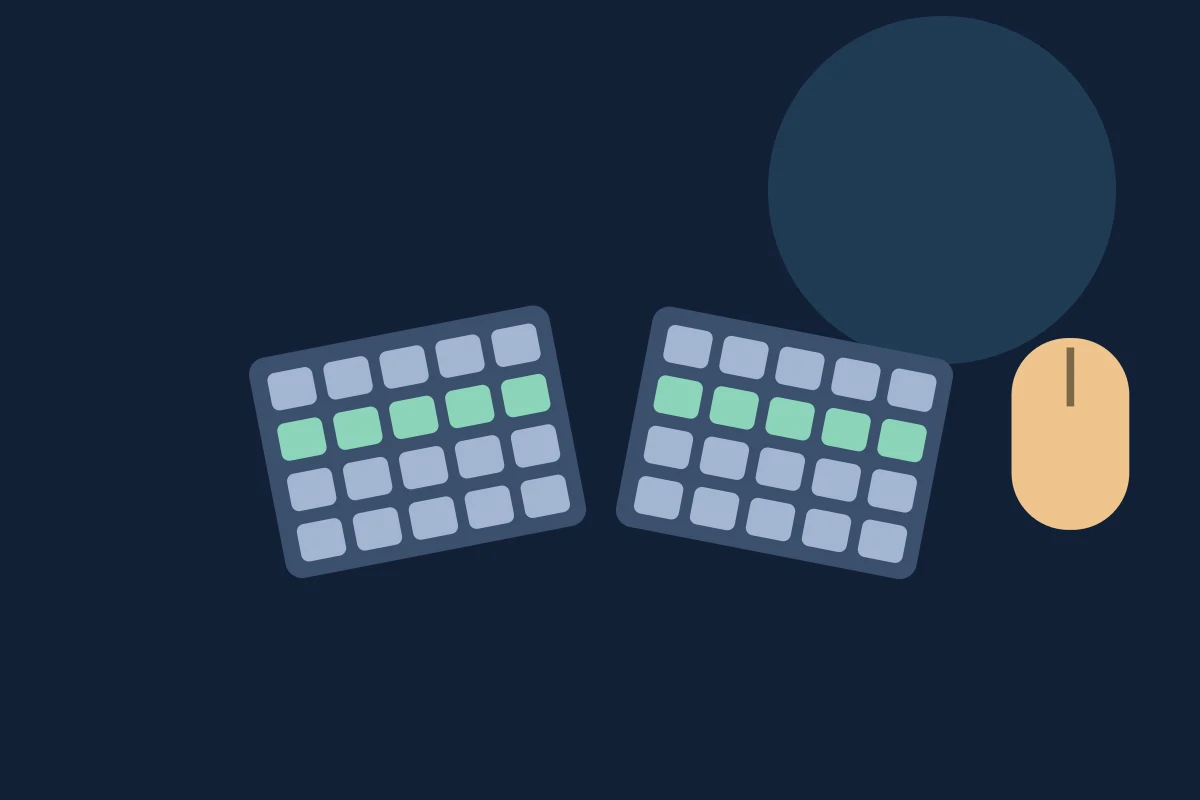
Two people can use the same keyboard and have very different experiences. One can type with relaxed shoulders and straight wrists. The other has to bring their hands close together, bend at the wrists, or reach past a number pad to use the mouse.
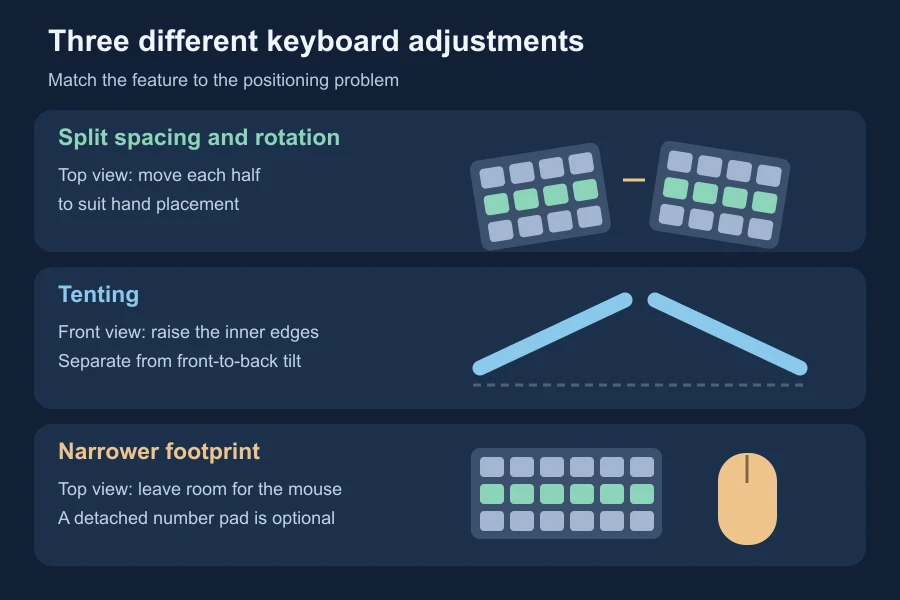
An ergonomic keyboard is worth considering when its design addresses a problem you can identify in your setup. Split designs can change the angle and spacing of your hands; tenting changes the slope of the key sections; a narrower keyboard can bring the mouse closer. Those are different adjustments, and you may only need one of them.
The label alone does not establish that a keyboard will feel better or prevent an injury. Start with what you want to change.
What makes a keyboard ergonomic?
An ergonomic keyboard changes some part of the layout or shape to accommodate the user’s posture or movements. It may have angled key sections, separate halves, a raised centre, or differently arranged keys.
There is no universally agreed best design. CCOHS’s keyboard-selection guidance recommends trying models and aiming for wrists that remain roughly in line with the forearms.
“Mechanical,” “wireless,” and “ergonomic” describe different things. Switch feel and connection type do not tell you whether the keyboard’s dimensions suit your body and desk. An ordinary compact keyboard may address a mouse-placement problem without having an unusual shape.
The main types, and what each changes
| Design | What changes | A case worth investigating |
|---|---|---|
| Fixed split | Key sections angle apart within one keyboard body | A familiar one-piece device, with a different hand angle |
| Fully separated split | Each half can move and rotate independently | Standard hand spacing does not suit your position |
| Tented | The inner edges rise, forming a roof-like slope | You want to try less palm-down forearm rotation |
| Compact or separate number pad | Less fixed width beside the letter keys | The mouse sits too far away |
| Contoured key wells | Keys sit in shaped recesses | You want to evaluate a different reach pattern |
Split, tented, and contoured designs are described in NIOSH’s alternative-keyboard guide. It dates from 1997, so it is useful for explaining the geometry, not for ranking current products. CCOHS’s guidance covers shorter keyboards and separate number pads.
These features can overlap. A split keyboard may also be tented; a contoured keyboard may have two halves. Check the actual adjustment options instead of choosing by a category name.
When might an ergonomic keyboard be useful?
Your hands bend sideways to meet the keys
Look at the relationship between each forearm and hand during ordinary typing. If the hands bend outward to meet the keyboard, try changing the keyboard position first. A split design may then give you a way to align each key section with its forearm.
CCOHS specifically suggests considering split keyboards for people with a broad chest or to reduce sideways wrist deviation. That is a fit consideration, not a requirement for everyone with a particular body shape.
With adjustable halves, the useful gap is the one that fits you. Copying someone else’s wide setup can leave you reaching outward instead.
You want to change the forearm’s palm-down position
Tenting raises the inner edges of the keyboard halves. NIOSH describes it as reducing forearm rotation compared with flat key sections.
That is different from raising the rear feet of a conventional keyboard. Rear feet change front-to-back slope; tenting changes the slope from the middle toward the outside. More height is not automatically better. Try modest adjustments and reassess how the keyboard fits the desk.
You reach around a number pad for the mouse
Here, keyboard width may be the main issue. CCOHS’s mouse-placement guidance explains why extra keys beside the letter area can keep the mouse beyond an easy reach. A shorter keyboard or detached number pad can give it a closer position.
Imagine a developer who rarely enters long columns of numbers but repeatedly moves between the editor and a design tool. A fixed number pad occupies space beside the right hand throughout the day, even when unused. A narrower footprint is a sensible feature to evaluate before choosing an elaborate split layout.
If you use the number pad constantly, keeping it accessible matters too. Try a separate pad in your real workflow rather than assuming smaller always means better.
Your daily work depends on keys that a new layout moves
Developers use punctuation, modifiers, Escape, and navigation keys as well as letters. Some compact designs move those actions into layers or thumb clusters. Check how you will enter braces, switch windows, and use your editor shortcuts before buying.
This is a workflow tradeoff. A layout that looks comfortable in a photograph may ask you to relearn the actions you use throughout a working day. If your main difficulty is reaching the mouse, you might not need to change the letter layout at all.
What does the research say about pain and injury?
Posture and health outcomes are separate questions. OSHA’s keyboard guidance says alternative keyboards can help maintain neutral wrist positions, while available research does not provide conclusive evidence that they prevent discomfort and injury.
A randomised crossover trial published in 2015 studied 77 computer operators who already had symptoms. Participants used a fixed split-angle or standard flat keyboard for five months, then switched. The study did not find evidence favouring the fixed split keyboard for reducing discomfort; usability ratings favoured the standard keyboard.
That result concerns the tested design and group. It does not establish that every adjustable split or tented model is ineffective. Equally, a favourable experience with one keyboard would not prove that the design prevents carpal tunnel syndrome.
The practical conclusion is to evaluate fit and usability without treating a purchase as medical treatment.
Check the workstation before changing the keyboard
A curved keyboard placed too high still asks you to reach upward. A split keyboard too far away still asks you to reach forward.
OSHA recommends coordinating the keyboard with the other workstation components. Check that it is within comfortable reach, your shoulders can relax, and its height and tilt allow straight wrists. If a rear foot increases wrist bending, raising it has not improved the setup.
A palm support is another separate decision. OSHA’s wrist-support guidance recommends freely moving hands above the support while typing and contact beneath the heel of the palm during rest. For a fuller explanation, see our guide to wrist position while typing.
How to make a useful trial
Before shopping, write down the problem you want the keyboard to address. “My mouse is too far away” is a clearer target than “I want better ergonomics.”
Then evaluate the device with work you actually do:
- Check the physical fit. Measure usable desk or tray space, including room for the mouse. Test stability and cable reach.
- Keep the rest of the setup similar. That helps you notice what the keyboard itself changes.
- Start with familiar text and ordinary tasks. Include code, shortcuts, and number entry if those belong to your day.
- Change one adjustment at a time. Note what changed in your reach, wrist alignment, and ability to work.
- Allow for unfamiliar movements without accepting pain. A new key location may need practice; discomfort is not something to push through as a learning exercise.
Where possible, use a trial or return option. Keep a brief note rather than trusting the first impression or a single typing score. Neither this exercise nor a WPM result diagnoses an ergonomic problem.
Keep changes of activity in your day too. HSE’s screen-work guidance favours short, frequent breaks and opportunities to move or change posture. A different keyboard does not remove that need.
If you already have pain that worsens, keeps returning, or disrupts ordinary activities—or tingling or loss of sensation—seek medical advice. NHS wrist-pain guidance explains these signs; severe pain or inability to move the wrist needs urgent assessment.
Frequently asked questions
Does everyone need an ergonomic keyboard?
No. Consider what your present keyboard prevents you from doing comfortably. If its placement and dimensions suit you, a new shape may offer little practical value.
Is a split keyboard better for software engineers?
It may address a positioning problem, but the job title is not enough to decide. Also test punctuation, shortcut combinations, and any layers you would need for coding.
Is a mechanical keyboard ergonomic?
It can be, but mechanical switches alone do not establish that. Check the device’s shape, height, reach, and fit with your workstation.
Will my typing speed improve?
This article does not establish a speed advantage. An unfamiliar layout may interrupt your usual movements, so evaluate usability and the positioning problem you set out to solve separately from WPM.
Choose the feature that answers your specific problem, then try it in the work that fills your day. That is a more useful starting point than buying the keyboard with the most unusual shape.